
Early Impressions of Grok Bot: Knowledge Work of the Future
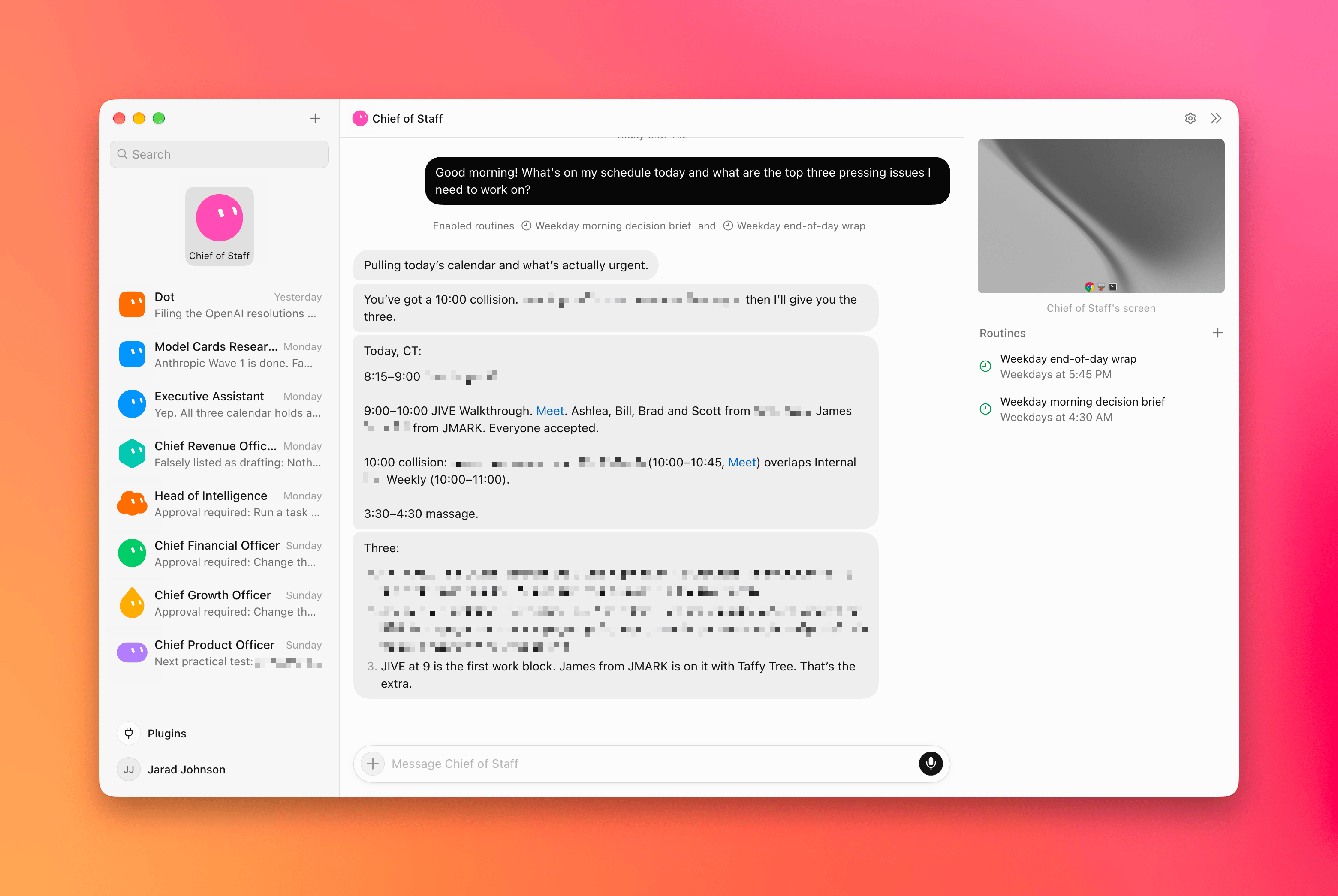
If you want to experience what work will feel like in the future, Grok Bot is the most accessible way to do it.
When you start Grok Bot, you're asked to create an agent. You give it a name, a description, and a bit more info. Then you start talking with it, like you would a colleague. It feels like Slack or Teams. You feel, immediately, at home.
What Grok Bot has done phenomenally well is simplify the experience of agentic workflows. It's the everyday person's Claude Code or Codex.
Many of these tools have introduced incredible features, but they're hidden behind complex, confusing interfaces. We have powerful general-purpose agents that can do just about anything on a computer, but that power isn't obvious without spending tens to hundreds of hours learning how to use them. The setup process can also turn people away, with requirements like granting full-disk access and navigating language meant for developers.
That leaves folks doing typical work, like creating docs, spreadsheets, and presentations, uncomfortable diving into this new way of working. But as Ethan Mollick often says, the AI companies need to understand that knowledge workers aren't dumb. They aren't just stupid developers. They are also doing real work, and they need an interface built for them, not just an interface that removes all the coding stuff.
Grok Bot gets the simple approach right. For experienced users, agents will feel familiar, like creating a CustomGPT. From there, Grok Bot makes the experience feel much more like the way we already work and coordinate across teams.
The interface looks and behaves like a chat tool. You don't need to understand agents, orchestration, or any of the other technical terms running things under the hood. You simply tell the agent what you need done. If you need another agent, you can tell the agent to create it. In a few minutes, you're managing a team, and it feels like magic.
That's the most important thing Grok Bot brings to this space. It shows a path for making these tools approachable to people through progressive disclosure, where complex features are hidden below the surface. The interface starts simple and familiar, then becomes more sophisticated as you use the tool to do more.
Intuitive Experience
You can start a conversation on the desktop app, close your computer, go for a walk, and pick up the same conversation from your phone without any interruption. It feels like the way it should have always been.

Image 1 of 2: Grok Bot desktop app with a Chief of Staff chat in the center, a list of agents on the left, and the agent's cloud computer and routines on the right.
That works because everything Grok Bot does is in the cloud rather than being stored only on your computer or requiring confusing remote connections on mobile.
Grok Bot uses its own virtual machine. In simple terms, this means it uses a computer in the cloud, not the computer that you're working on. Every agent that you create shares the same computer, so files, logins, and the work they create can be seen across all of them. This allows Grok Bot to search the internet, run commands, and manage files, without taking over or needing access to your own computer. And it makes the sessions persistent and available across devices.
Plus, the little agent avatars are super cute.
Agent Orchestration
This is where Grok Bot shines. Most power users familiar with Codex and Claude Code have adapted to agent orchestration. Put simply, this is where one chat window manages other chats to get work done.
The way it's all managed is what Grok Bot does best. You simply tell the agent what you need, and it figures out the right agents to pull in, how to use its virtual machine, and when to bring things back to you. It doesn't feel like you're managing all of this complexity.
I have one chat labeled Chief of Staff. This is where I do most of my day-to-day work. When I have something that needs to get done, I hand a brief off to my Chief of Staff, and it works with the rest of the agent team to get the work done.
Why go through a single chat or thread? Well, when we're managing the amount of work that these agentic systems can handle, it's mentally taxing to jump between dozens of different threads. It is much better to work with one and focus on the outcomes of the other threads.
It can also improve model quality when the agents are designed to work with one another, because they go through adversarial review cycles that limit the mistakes that make it back to the user. In Codex and Claude Code, this often means prompting the main thread to use subagents or to start new threads. In Grok Bot, your main contact just knows when to hand work off.
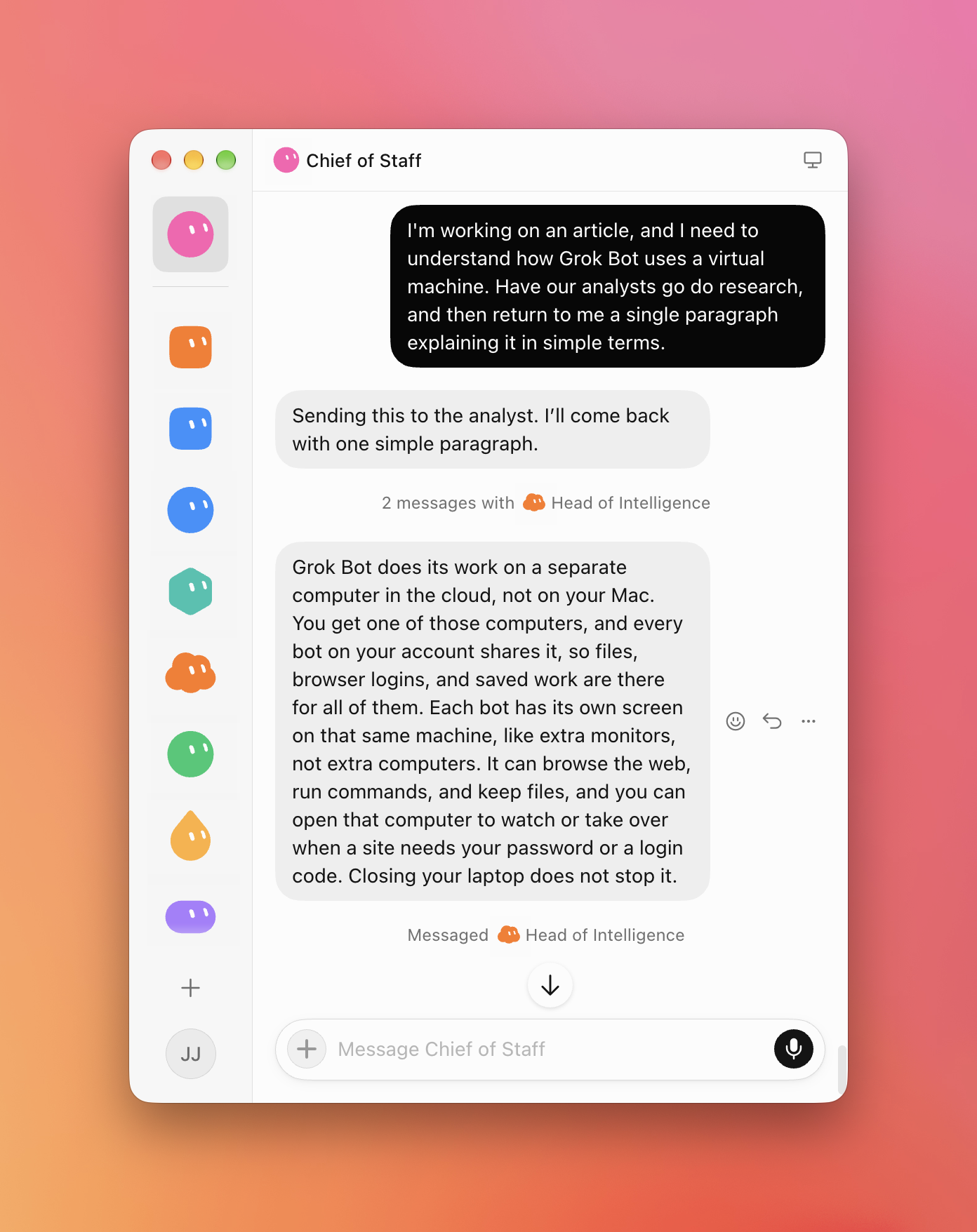
This is the same setup I've used in Codex, but I'll admit it's a more enjoyable experience in Grok Bot. It feels more like talking to a person.
Connections & Secrets
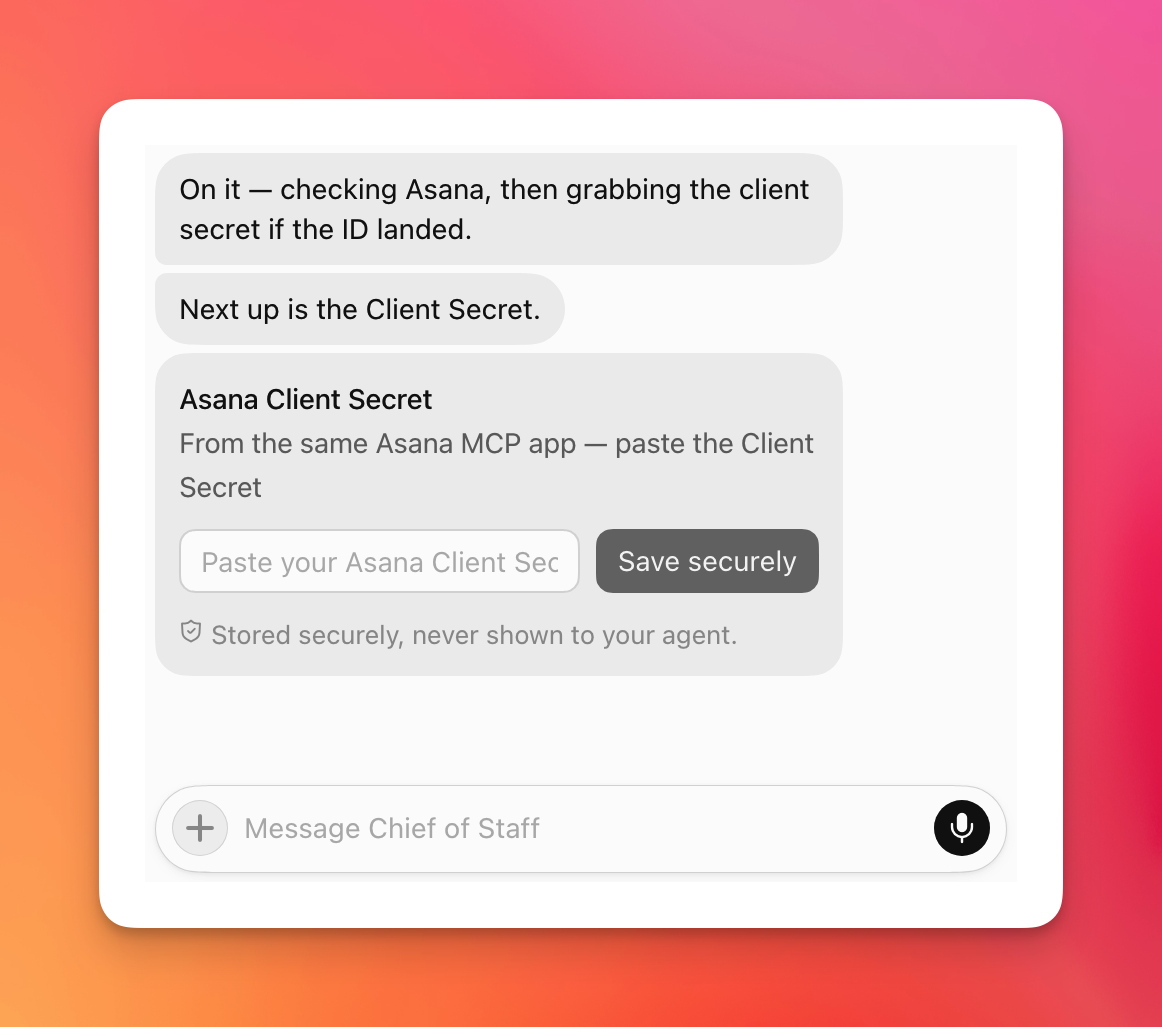
Grok Bot meets users where they are by surfacing connections when you need them. Instead of searching through a plug-in store and figuring out what to install ahead of time, Grok Bot gives you the relevant connector for the task it's trying to accomplish. For example, ask it to assign an Asana task, and it'll ask you to connect Asana. Ask it to draft an email, and it'll ask you to connect Google Workspace.
One of the most pleasant features I came across is how it handles secrets, like API keys. This can be very intimidating for non-technical users, but Grok Bot gave me a dedicated field for the API key and handled the rest.
One of the more taxing parts of setting up agentic workflows is making sure the agents have access to the systems and knowledge they need to actually do the work. Grok Bot isn't solving this problem for enterprise, at least not yet. Those companies still require carefully considered permission settings and data-readiness work to ensure models can access only the information they need, in a way they can best use it.
But beyond enterprise, and especially for people who want to experiment to understand what is coming next, Grok Bot makes the whole process much more approachable.
The result helps people understand a very important idea behind agentic work: models become more useful when they have access to the right context.
Why I'm Not Sticking with Grok Bot
Okay, that's all great, so why am I already back on Codex even though I paid $300 for one month of Grok Bot (which, to be fair, also comes with a lot of additional usage through Grok and Cursor)?
Production Reliability
It's beta software. The ideas are great, and the implementation is thoughtful. But it's not ready for a true production load from people who've come to rely on their agents.
The models running it aren't good enough. It's often wrong about details that change the work it's doing. Within a 10-minute window it changed someone's gender, decided a client contact leads the engagement when they're barely involved, and reported that we were a finalist on a project where we've not heard anything back yet. When you're handing off long-running tasks to an agent and it makes these small mistakes, they stack quickly and make the outputs useless. I don't have this same experience with Sol in ChatGPT, and it was eye-opening to encounter these problems again.
Privacy and Trust
Grok Bot was built by the Cursor team, well known for the IDE by the same name. Cursor was recently acquired by SpaceX. In July 2026, Grok Build, the coding tool built by SpaceXAI, was found uploading entire repositories to company-controlled cloud storage. SpaceXAI said all previously uploaded user data would be deleted, but customers cannot independently verify that deletion. It's reasonable for people to have privacy concerns while using these products, as I do.
Codex Is Still My Daily Driver
Lastly, Codex (aka the ChatGPT desktop app) is my current daily driver, after you've taken the time to set up the orchestration layer in it, I don't believe there's a better overall experience currently available.
After using Grok Bot for a week, it's clear to me that this is the approach OpenAI and Anthropic should have taken with their non-coding products.
That said, for the people who haven't yet made the leap from chatbots to agentic workflows, I don't know that there's a better first experience than Grok Bot.